
 The Specialty News
Claude Turns Its Artifacts Into Mac and Windows Apps With One Click
Describe a tool, test it in the chat, click 'Install as app': it gets its own icon and window, with no signing, packaging or API key.
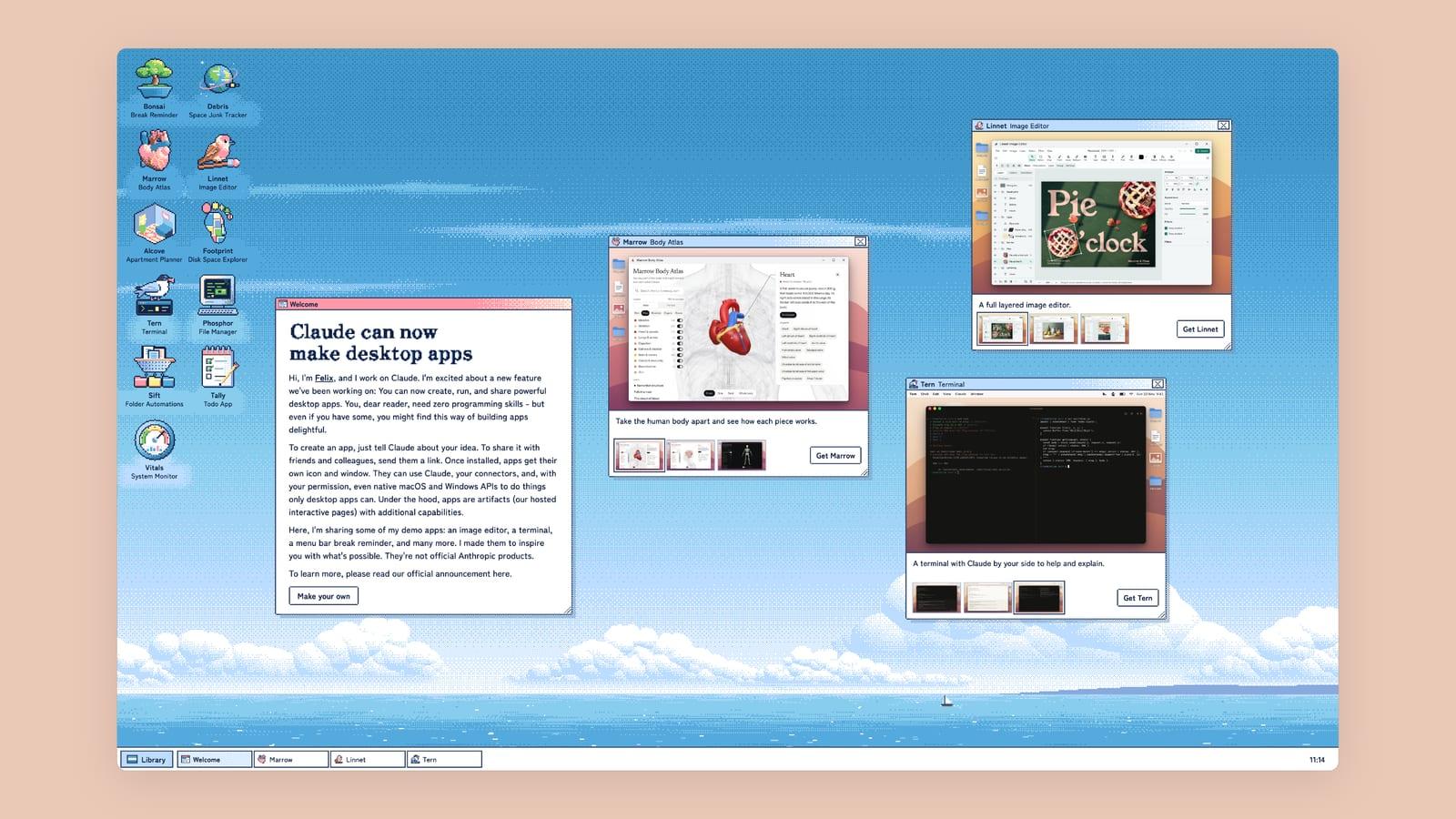
Until today, a tool you built by chatting with Claude lived in a browser tab. As of today, one button turns it into a program with its own icon in your Dock or taskbar. Anthropic's 'Install as app' is rolling out in beta in Claude for Mac and Windows on all plans, and it skips everything that usually stands between an idea and a desktop app: packaging, code signing, API keys and a separate login.
From Chat Window to Dock Icon
The process has three steps. You describe the app you want, try it as an artifact inside Claude, then click 'Install as app' from the Share menu. The result opens in its own window instead of inside Claude, and it can be shared with other people.
“Starting today, you can use Claude artifacts to create, run, and share desktop apps.”— Anthropic
Installed apps behave like ordinary software. They can send notifications and add items to the macOS menu bar or the Windows system tray. Each one can call Claude and your connectors, and it updates itself whenever the underlying artifact is edited. Requests an app makes to Claude count toward your plan's usage limits, the same as chatting.
To show the range, Anthropic staff built a set of demo apps: Linnet, a layered image editor; Phosphor, a file manager; Sift, which applies folder rules with Claude's help; Tern, a terminal with Claude beside it; and Vitals, a performance monitor that lives in the menu bar. The interesting part is how far up the ladder of access those apps can go.
Three Levels of Trust
By default, an installed app can only do what it could do in a browser. One step up, app permissions unlock always-on-top windows, global keyboard shortcuts and notifications. At the top, full computer access lets an app run programs and read, change or delete files without asking each time.
The guardrails are specific. Permission covers only the current version, so Claude asks again after every update. Full access is limited to apps you made yourself or, on Team and Enterprise plans, apps made inside your organization. Anthropic says plainly that it does not review apps before you install them, which puts the judgment with the person clicking 'allow'.
Companies get a switch too. On Team plans the feature is on by default with full access off; on Enterprise it stays off until an owner turns it on. HIPAA-ready organizations and hybrid deployments cannot use it yet, and Claude Docs, Slides and Sheets artifacts cannot be installed. Apps need you to be online and signed in to Claude.
Personal Software for People Who Never Shipped Any
The same day, Anthropic marked two years of the Model Context Protocol, the open standard that lets AI models plug into outside tools, by letting MCP servers ship their own skills and run long jobs in the background.
Put the two announcements together and the pitch gets concrete. An office manager who wants a menu bar timer that reads the team calendar, or a researcher who wants a folder that sorts PDFs by topic, no longer has to learn Xcode, buy a signing certificate or wait for a developer. They need a clear description and a few minutes of testing.
The open question is how people will use the top permission level once small, homemade apps can touch real files. Anthropic's answer for now is version-by-version consent and admin controls. The bigger shift is already visible on the demo desktop: a desktop full of tools, each made for one person's need, installed in the time it takes to describe them.
From Prompt to Desktop App
The Brief
Stay curious
AI and technology: what changes and why it matters.
Your daily selection, in English or Spanish.
Free forever. Unsubscribe anytime.
More stories

Conversation
Start the conversation